

Visual Contrast: Creating Impactful and Accessible Spaces
TL;DR:
- Contrast is not just an aesthetic choice, but a core component of a space's functionality and safety. Contrasts in colors, shapes, and lighting guide users' movement, perception, and accessibility. Professionals should measure and test contrasts in real-world conditions to ensure effective and aesthetically pleasing space design.
Contrast is easily perceived as merely an aesthetic choice, but it is much more. The importance of contrast is not only aesthetic: it directly affects how a space functions, how people move safely within it, and how different user groups perceive their environment. This article covers the basic mechanisms of contrast and practical application methods that every interior, spatial, and AV designer should master. You will also find practical examples of when contrast is crucial to the success of a project.
Table of Contents
- What is visual contrast and why is it important?
- Forms of Contrast: Colors, Light, Size, Shape, and Texture
- Accessibility Standards and Measuring Contrast in Design
- Managing Contrast: Layering Lighting and Adjusting Atmosphere
- Best Practices: How to Apply Contrast in Projects
- What Professionals Often Forget About Visual Contrast
- Deepen Your Knowledge of Visual Contrast on Dekoja.net
- Frequently Asked Questions
Key Takeaways
| Point | Details |
|---|---|
| Contrast increases clarity | Good contrast helps organize space and draws the eye to what's essential. |
| Accessibility is a priority | WCAG standards and practical testing ensure that all users benefit from contrast. |
| Lighting affects contrast | Layering lighting brings out details and atmosphere in a controlled manner. |
| Practical testing is essential | The same contrast works differently in different conditions, so always test in a real environment. |
What is visual contrast and why is it important?
Visual contrast simply means the perceptible difference between two or more elements. Contrast is built upon differences in observable characteristics such as color, brightness, size, shape, and texture. When these differences are sufficient, people can easily distinguish elements from each other. When differences are absent or too small, the whole merges.
In practice, this is reflected in many ways in spatial design. Stair treads that do not differ in color or brightness from the floor pose a fall risk. Text on a restaurant menu that does not stand out from its background will not be read. In an AV environment, a projector image surrounded by light walls loses its sharpness and details.
In AV and spatial design, contrast directly affects the discernment of details. This is especially critical when the space or system is designed to convey information, such as exhibition spaces, lecture halls, or control rooms.
The role of contrast can be viewed from three different perspectives:
- Functional perspective: Contrast guides movement and reduces errors. People naturally follow visual cues, and strong contrast is the clearest visual cue.
- Accessibility perspective: Different user groups need sufficient contrast. For older individuals, a decrease in contrast sensitivity is normal, and color vision deficiencies affect about eight percent of the population.
- Aesthetic perspective: Contrast creates rhythm, tension, and interest. Without contrast, spaces become monotonous, harder to use, and visually uninteresting.
“Contrast is not an extra spice in design. It is the structure upon which everything else is built.”
A good starting point is to explore applying contrast in interior design, where concrete examples help conceptualize the principles in practice.
Forms of Contrast: Colors, Light, Size, Shape, and Texture
Contrast is created through oppositions, such as color, size, shape, texture, and light. Each of these dimensions works differently and serves different purposes. Professionals must know how to choose the right method for the goal, instead of using the first solution that comes to mind.
Color and value contrast is the most common and visible form of contrast. Combining dark and light shades creates a sense of depth and guides the eye. A mere color hue (e.g., red vs. green) is not always sufficient, as colorblind individuals cannot distinguish these. The difference in brightness, or value contrast, is a more reliable method.
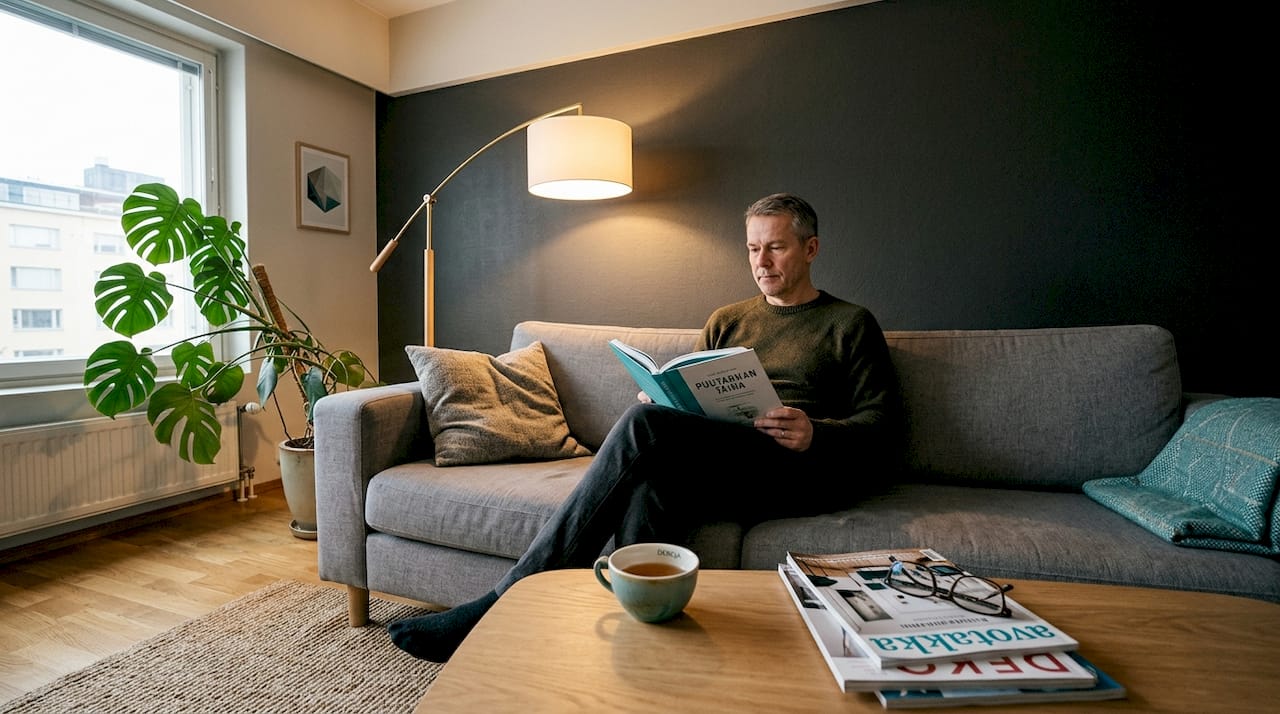
Size contrast arises when a space contains elements of clearly different sizes. A large furniture ensemble next to a small side table creates a clear hierarchy without other changes. This works especially well in galleries, where large artworks guide the eye first, and smaller details offer more to explore.
Shape contrast is based on differences in geometric shapes. Angular architectural elements, such as rectangular pillars or sharp-edged furniture, work effectively against round shapes. This contrast is often subconscious but significantly affects the feel of the space.
Texture contrast is particularly effective at touch distance or when viewed up close. Combining rough concrete and shiny metal creates visual tension that keeps the eye interested. In AV spaces, texture contrast also affects acoustics, as different surface materials absorb and reflect sound differently.
The interplay of light and shadow is perhaps the most powerful individual contrast tool. Spotlighting creates sharp shadows that emphasize the three-dimensionality of a surface. Even diffused light removes shadows and makes the space appear flatter. In interior design, contrast affects the overall feel of the space, and light is the most important single variable in this.
| Form of Contrast | Primary Effect | Typical Application |
|---|---|---|
| Color Value Contrast | Hierarchy, legibility | Signage, displays, text |
| Size Contrast | Proportions, rhythm | Galleries, living rooms |
| Shape Contrast | Dynamics, tension | Architecture, furnishing |
| Texture Contrast | Depth, interest | Surface materials, details |
| Light Contrast | Atmosphere, three-dimensionality | Restaurants, AV spaces |
Professional tip: Do not use all forms of contrast simultaneously in the same space. Choose two or three dominant contrast ideas and build the space around them. Too much simultaneous contrast overloads the viewer and does not direct attention to anything specific.

Also, explore how utilizing light and contrast in restaurants is implemented in practical projects.
Accessibility Standards and Measuring Contrast in Design
Contrast does not need to be guessed. There are precise, internationally accepted metrics that can and should be applied in physical spatial design beyond websites.
WCAG 2.1 defines precise minimum levels for contrast ratios. The contrast ratio expresses the difference in brightness between two colors on a scale from 1:1 (exactly the same) to 21:1 (black vs. white).
- Level AA requirements for text: For normal-sized text, the contrast ratio must be at least 4.5:1. For large text (over 18 points or bold over 14 points), 3:1 is sufficient.
- Level AAA requirements: For normal-sized text, a contrast ratio of 7:1 is required. This ensures good legibility even with impaired vision.
- For graphical elements: User interface components and informative graphics require a minimum contrast ratio of 3:1 against the background.
| WCAG Level | Target | Minimum Contrast Ratio |
|---|---|---|
| AA | Normal text | 4.5:1 |
| AA | Large text | 3:1 |
| AA | Graphical elements | 3:1 |
| AAA | Normal text | 7:1 |
| AAA | Large text | 4.5:1 |
Contrast is related to human perception, not just digital environments. The same principles apply in physical space: in signboards, floor markings, exhibition texts, and everything else where information needs to be distinguished from the background.
The contrast ratio is calculated using relative luminance. The formula is simple: (L1 + 0.05) divided by (L2 + 0.05), where L1 is the relative luminance of the lighter color and L2 of the darker color. In practice, this is not calculated manually, but there are several free online tools for it.
“Contrast meters are not bureaucracy. They are a tool that tells whether the solution works for all users.”
Pre-testing contrast ratios is particularly important in spaces with diverse user groups: for example, public buildings, healthcare facilities, schools, and spaces expected to host elderly visitors. The same applies to AV environments, such as conference rooms and presentation spaces.
Managing Contrast: Layering Lighting and Adjusting Atmosphere
Lighting is the most important control tool for contrast. Layering lighting provides visibility, variation, and prevents a flat effect. This means that several different lighting levels with different functions are designed for the space.
The three basic layers of lighting are:
- General lighting creates the basic illumination for the space, ensuring sufficient visibility throughout the area. However, even general lighting does not create contrast. It is the base upon which contrast is built.
- Task lighting is directed to where precise work or reading occurs. In an office, this means desks; in a restaurant, the kitchen or cash register; in galleries, highlighting details of artworks.
- Accent lighting is the actual tool for contrast. It creates dark areas in light ones, draws attention to architectural details, and directs the viewer's gaze to desired areas.
The contrast of a space affects the distinction of details and architecture. This is concrete: when only part of a wall is illuminated, the entire wall appears more three-dimensional. When a spotlight hits a sculpture, the forms of the artwork are accentuated in a way that diffused light never achieves.
Even lighting does not guarantee good visibility. On the contrary: a perfectly evenly lit space can feel unpleasant, and orientation becomes difficult because everything seems equally important.
Adjustable lighting systems are an investment that pays for itself in flexibility. Dimmable luminaires allow the same space to be used as both a large conference hall and an intimate dining area. Changing the direction of light dramatically transforms a space visually without structural changes.
Professional tip: Beware of glare. Too strong a point light against a dark background creates an unpleasant contrast that quickly tires the eyes. In AV spaces, this is a particular problem: a projector's white image in a completely black environment can be uncomfortable to watch for long periods. A good solution is to manage the contrast of the environment, not eliminate it entirely.
You can find more examples in lighting layering examples, where the principles are shown in practical projects.
Best Practices: How to Apply Contrast in Projects
Theory is useful, but execution is what matters in design. The success of contrast often depends on conditions and on-site testing. The following practices help avoid common mistakes.
- Test in a real environment. A color palette that looks beautiful on screen may fail in a real space. Natural light changes colors with the hour, season, and weather. Bring material samples to the site and view them in actual lighting at different times of day.
- Evaluate from multiple distances. A texture contrast that looks beautiful up close may disappear from three meters away. Graphics that seem clear from afar may appear coarse up close. Test both up close and from a distance.
- Use contrast to define space. A dark floor or wall area defines a zone without physical walls. This is particularly useful in open-plan spaces where different functional areas are desired.
- Remember the user's perspective. Not everyone perceives contrasts in the same way. Approximately eight percent of men are colorblind to some extent. People with low vision need significantly higher contrast values. These groups must be considered, especially in public and semi-public spaces.
- Avoid contrast overload. When a space has too many simultaneous contrast pairs, the viewer's attention is scattered, and nothing stands out. Good contrast is selective: it highlights what is important and provides visual rest elsewhere.
- Document your solutions. Record the contrast ratios of color pairs you have measured and tested. This speeds up any potential changes later and assists in reporting to clients.
Professional tip: At the final stage of a project, ask an external person to evaluate the space. It's easy to become blind to your own design, and a fresh pair of eyes will immediately spot problems. Specifically, ask for feedback from individuals who belong to the target audience for the space.
Understanding the importance of contrast is just the starting point. The next step is to apply what you've learned consistently in all projects and learn from each implementation.
What Professionals Often Forget About Visual Contrast
There's one thing that separates truly functional contrast design from mediocre: most professionals rely too much on their own intuition and mere visual assessment. "It feels sufficient" is not a tool. It's a guess.
Contrast measurements and user testing are often perceived as extra work or even a vote of no confidence in one's own expertise. In reality, they are fundamental tools of professional design, not precautions. Every top architect and spatial designer working in public spaces uses metrics.
The same color pair can work differently under various lighting conditions. This is a surprisingly underestimated fact. Gray text on a light gray background might appear functional under office fluorescent lights but become completely unreadable when sunlight hits the screen or wall at an angle.
Another overlooked aspect is the effect of aging. People around 60 years old already need significantly more contrast than 30-year-olds to achieve a similar perception. A designer who is 35 years old themselves may not experience a contrast problem, even if it is obvious to a 65-year-old space user. If the project serves a wide age range, this is a critical variable.
Color vision deficiencies are a more widespread phenomenon than most people realize. They don't just mean complete color blindness, which is rare. Much more common is an impaired ability to distinguish between shades of red and green or blue and yellow. A designed solution based solely on hue rather than brightness difference will completely fail for these individuals.
A third often overlooked factor is the effect of viewing distance. A contrast ratio that works at normal reading distance may not work when viewed from three meters away. This is especially important for signage, exhibition texts, graphics in AV spaces, and anything else viewed from multiple distances.
Therefore, simply meeting standards is not enough. Standards provide the minimum, not the optimal solution. A true professional exceeds minimums and tests solutions with real users in real conditions.
Deepen your knowledge of visual contrast at Dekoja.net
Visual contrast is a skill that develops through practice. Knowing theory and standards provides a good foundation, but the best results come from trying out real materials in real environments.

Dekoja.net brings together the most innovative materials and expert support for implementing visual contrast. The selection includes Musou Black and other super-black effect surfaces that take contrast work to a whole new level. These materials create contrast effects that simply cannot be achieved with ordinary paints or surfaces. Find practical examples and step-by-step instructions directly in the contrast guide. Fast deliveries from domestic stock and B2B service for projects.
Frequently Asked Questions
What is the WCAG minimum contrast ratio for text?
WCAG 2.1 requires a minimum of 4.5:1 for normal text and 3:1 for large text. The higher AAA level requires 7:1.
Can good contrast affect the perceived size of a space?
Yes. Dark colors reduce the perceived space, and light colors expand it. Contrast can be used to create zones and visually change the dimensions of a space.
How should contrast be tested in practice before implementation?
Test contrasts in real lighting, at different times of day, and from multiple viewing angles. Measure contrast ratios with a calculator in addition to visual assessment.
Are accessibility standards applicable in AV spaces?
Yes. Contrast requirements apply to all visual environments, not just websites. The same physiology of perception applies wherever humans interpret visual information.